The Video & Image Review Tool ThatSyncs Minds, Not Just Frames.
Sync annotations in real-time. Share secure links instantly.
Built for creative professionals by creative professionals.
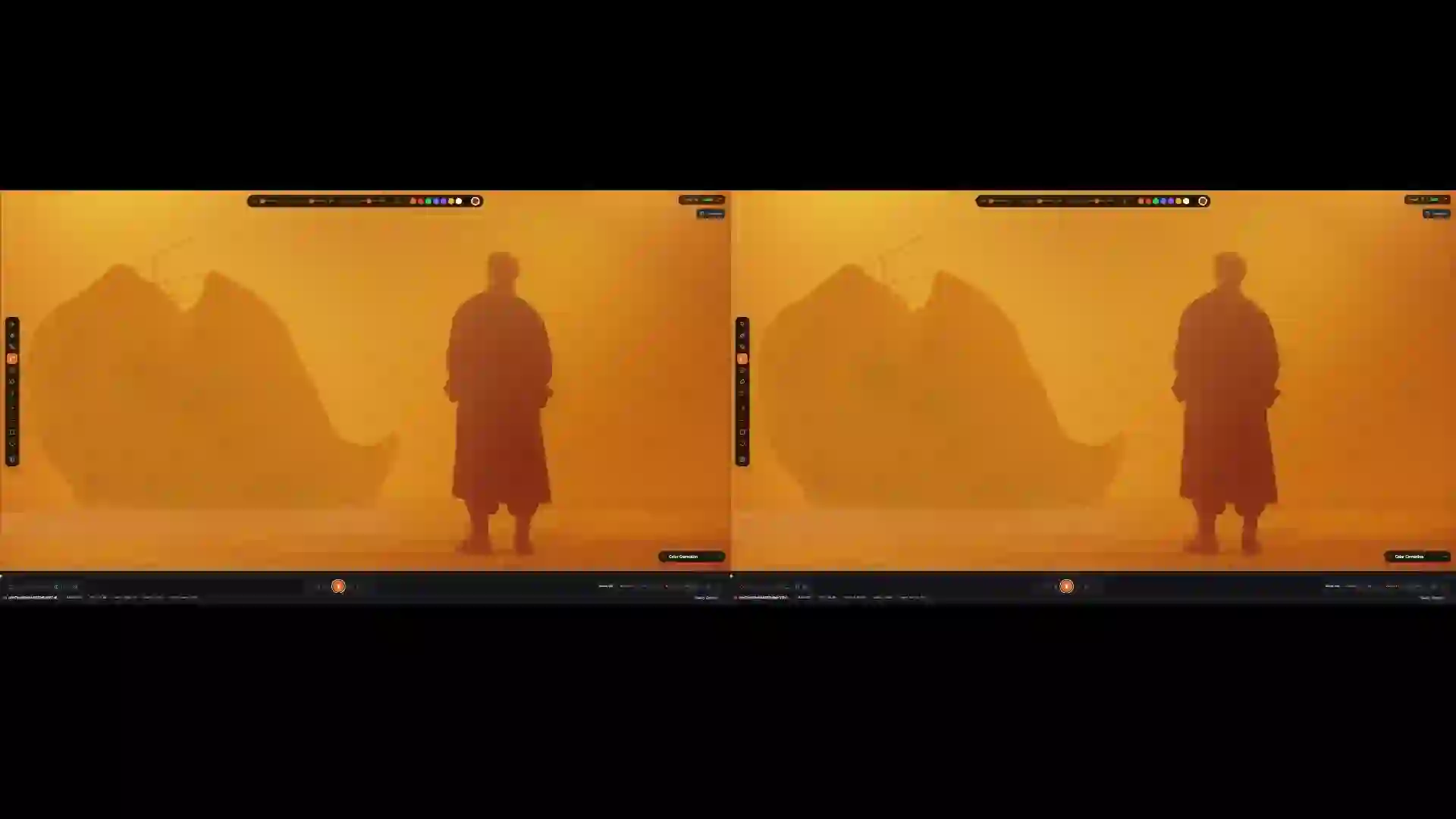
Review video & images together, in real-time • Transcodes locally using your GPU & available resources • Secure share links
Supports ProRes, H.265, RAW & EXR • At least 2X faster than the competition • Free plan available
How Does Real-Time Video & Image Review Work?
Syncs every annotation, comment, and timeline scrub instantly across all connected reviewers.
<100ms
Latency
∞
Collaborators
24/7
Always on
WebSocket-powered with under 100 milliseconds of latency. Whether your team is in the same studio or distributed across continents, everyone sees the same frame at the same time. Unlimited collaborators can join — no per-seat limits. Follow mode lets a lead reviewer guide the entire team through a sequence in lockstep, while threaded timecode comments keep feedback organized by frame.
Why Is Local Transcoding
Faster Than Cloud?
Competitors require you to convert files first, then their cloud still transcodes again — a double conversion. ReviewRoom eliminates both steps by transcoding locally on your GPU.
Raw Footage
ProRes, H.265, RAW, Images
Desktop App
Local Encoding
Cloud Ready
CDN-Accelerated Delivery
With other tools, you first have to manually convert EXR or ProRes files into something uploadable, then their cloud still needs to transcode again — a painful double conversion that takes 30 to 60+ minutes. ReviewRoom eliminates both steps: the desktop app transcodes heavy formats directly on your GPU (NVIDIA, AMD, Apple Silicon, or Intel) into browser-ready H.264 MP4s in minutes. No EXR files are ever uploaded to the server — only the lightweight transcoded result, pushed through accelerated chunked uploads over a global CDN.
No Double Conversion
Competitors make you convert files before uploading, then transcode again on their servers. ReviewRoom handles heavy formats like EXR and ProRes directly — zero manual pre-conversion
No Files Uploaded to Server
EXR and other heavy formats never leave your machine. ReviewRoom transcodes them locally into browser-ready MP4s using your GPU, then uploads only the lightweight result
Accelerated Chunked Uploads
Transcoded files are split into chunks and delivered through our global CDN for blazing-fast sync
Video & Image Support
Review images AND video. Upload EXR sequences, ProRes, H.265, RAW, images, and any professional format — all handled locally
Frame-Accurate Annotation Tools.
10+ studio-grade drawing tools with full stylus pressure sensitivity for frame-accurate visual feedback.
10+
Tools
8
Textures
1:1
Frame Accurate
Paint directly on any frame using paintbrush, calligraphy, and smooth line tools across 8 brush textures. Add arrows, shapes, and text annotations that sync in real-time to every reviewer in the session.
How Does ReviewRoom Keep
Your Assets Secure?
Protects your creative assets with end-to-end encryption and granular access controls.
Password-protected sharing links, domain-restricted email invites, and customizable watermarks. Enterprise teams get SSO via SAML 2.0, multi-factor authentication, and dedicated server infrastructure. ReviewRoom never stores your raw source files — no EXR or heavy formats are uploaded to the server. Only transcoded lightweight browser-ready proxies are stored.
Manage access settings
Password Protection
Viewers must enter password
Public Access
Anyone with link can view
Email Invites
Domain restriction available
What Tools Are
Under the Hood?
Built for creative professionals who demand precision at every frame.
Creative Brushes
Professional drawing tools with pressure sensitivity
Compare
Wipe, opacity blending, and side-by-side comparison modes
Color Correction
Real-time color grading and adjustment tools
Frame Navigation
Jump to annotated frames, undo/redo, copy/paste annotations
Annotated Frame
Full resolution PNG
Transcoded (MP4)
H.264 optimized
Feedback (PDF)
Printable report
Comments Export
Collected notes
Pro tip: Export feedback as a PDF report to share with stakeholders or keep for your records
How Does ReviewRoom
Work?
Your team spent days perfecting every cut. ReviewRoom makes sure feedback is just as precise.
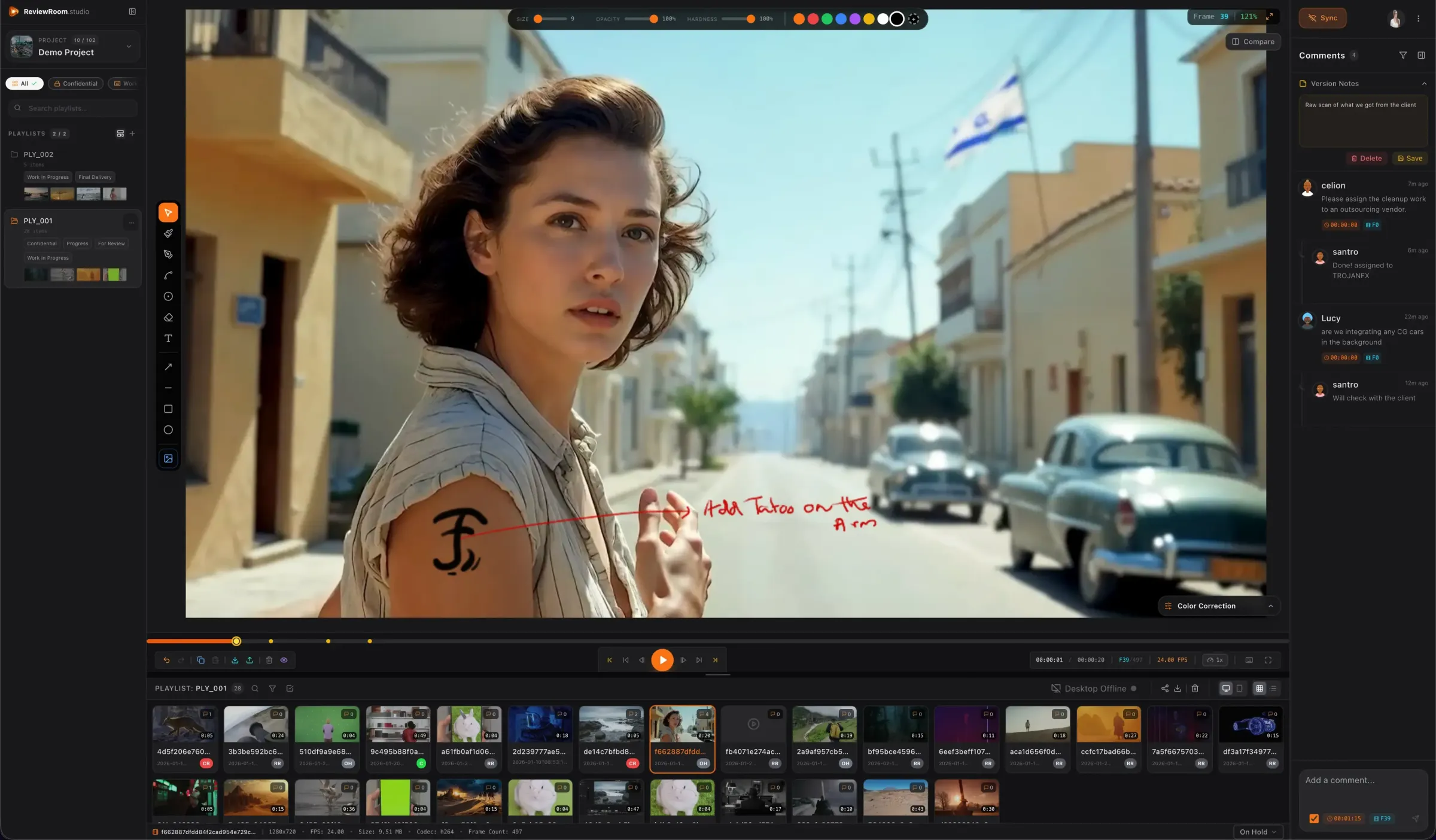
Upload Your Media
Drag and drop video or images. ReviewRoom handles EXR, ProRes, H.265, RAW, and more directly on your GPU — no source files uploaded to the server.
Invite Your Team
Share secure links with password protection. Real-time annotations sync instantly.
Collect Feedback
Frame-accurate comments, visual annotations, and approval workflows.
Export & Share
Download annotated frames, export PDF reports, or share with your team.
Export formats
Simple, Transparent
Pricing.
Start free. Scale as you grow. No hidden fees.
All plans include unlimited collaborators — only seats are limited
Free
Get started. Explore the workflow.
- 2 GB storage/user
- Unlimited collaborators
- Public link sharing
- Core review tools
- Refer a friend — unlock 1 yr password sharing
Pro
For freelancers and small teams.
Everything in Free, plus:
- 50 GB storage/user
- Up to 5 seats
- Password-protected sharing links
- Smooth Brush for visual feedback
Studio
Built for growing teams and agencies.
Everything in Pro, plus:
- 250 GB shared storage
- Up to 15 seats
- Advanced Brush Tools
- Expandable storage
Enterprise
For organizations with advanced security needs.
Everything in Studio, plus:
- Unlimited seats
- Dedicated server
- Advanced security controls
- Single Sign-On (SSO)
- Multi-Factor Authentication (MFA)
- Custom branding
Frequently Asked
Questions.
Everything you need to know about ReviewRoom — from formats and pricing to security and speed.
What is ReviewRoom?
ReviewRoom is a video and image review platform that handles both video and image review in a single tool. It transcodes media files locally on your machine — including ProRes, H.265, RAW, and EXR image sequences — into browser-ready formats before uploading lightweight MP4s to the cloud. No EXR or heavy source files are ever uploaded to the server. Unlike competitors that require you to convert files first and then transcode again on their cloud (a double conversion), ReviewRoom eliminates both steps by handling heavy formats directly on your GPU (NVIDIA, AMD, Apple Silicon, or Intel). The result is review-ready media in minutes instead of hours. The platform includes real-time annotation sync with under 100 milliseconds of latency, 10+ pressure-sensitive drawing tools, frame-accurate commenting, side-by-side version comparison, and password-protected sharing links. Plans start free with 2 GB of storage and scale to $24 per user per month for enterprise teams requiring dedicated servers and SSO.
How does ReviewRoom compare to SyncSketch?
ReviewRoom and SyncSketch both serve creative professionals who need frame-accurate video and image review, but they differ in architecture and pricing. With SyncSketch and similar cloud tools, users often need to convert heavy files like EXR first, then upload them, and then wait for the cloud to transcode again — a painful double conversion. ReviewRoom eliminates both steps: it handles EXR, ProRes, and other heavy formats directly on the user's GPU, producing browser-ready MP4s locally. No heavy source files are uploaded to the server. This makes the upload-to-review cycle at least 2X faster. Because ReviewRoom does not operate expensive cloud-rendering GPU farms, infrastructure savings are passed directly to users: plans start at $0 (free tier with 2 GB storage) compared to SyncSketch's paid-only model. ReviewRoom also supports image review alongside video, includes pressure-sensitive annotation brushes, PDF feedback export, and annotated frame export at full PNG resolution.
What formats does ReviewRoom support?
ReviewRoom supports all major professional video and image formats used in VFX, post-production, and creative workflows — for both video and image review. Supported video formats include ProRes (all profiles), H.265/HEVC, H.264, RAW camera files from RED, ARRI, and Blackmagic, and standard containers like MP4, MOV, and MKV. For image sequences, ReviewRoom handles EXR (OpenEXR), DPX, TIFF, PNG, and JPEG sequences. For still image review, it supports PNG, JPEG, TIFF, PSD, and more. The desktop application automatically detects the input format and transcodes it locally into an optimized H.264 MP4 using your GPU — NVIDIA NVENC, AMD AMF, Apple VideoToolbox, or Intel Quick Sync — with an optimized software fallback. No EXR or heavy source files are ever uploaded to the server. Unlike competitors that require you to convert files before uploading (and then transcode again on their cloud), ReviewRoom handles everything directly on your machine. The lightweight transcoded files are then pushed through accelerated chunked uploads over a global CDN for instant browser-based playback.
How much does ReviewRoom cost?
ReviewRoom offers four pricing tiers designed for teams of every size. The Free plan includes 2 GB of storage per user, unlimited collaborators, and core review tools including frame-accurate comments, annotations, and version history — with no credit card required. The Pro plan at $5 per user per month adds 50 GB of storage, up to 5 seats, and password-protected sharing links. The Studio plan at $10 per user per month includes 250 GB of shared storage, up to 25 seats, cloud transcoding as a fallback option, and advanced brush tools. The Enterprise plan at $24 per user per month provides a dedicated server, SSO and MFA authentication, custom branding, and priority support. All paid plans include a 14-day free trial.
Is ReviewRoom secure enough for enterprise use?
ReviewRoom is built with security as a core requirement for studios handling unreleased content, pre-release VFX shots, and confidential creative assets. All data is encrypted end-to-end during transit and at rest. Sharing controls include password-protected links, domain-restricted email invites, and customizable watermarks with configurable text, opacity, and positioning. The Enterprise plan adds single sign-on (SSO) via SAML 2.0, multi-factor authentication (MFA), dedicated server infrastructure isolated from other tenants, and custom branding. Administrators can control access at the project level, set expiration dates on shared links, and audit viewer activity. ReviewRoom does not store raw source files on its servers — only the transcoded lightweight MP4 proxies — reducing the attack surface for intellectual property theft.
Why is local transcoding faster than cloud-based review tools?
Cloud-based review tools impose a double conversion burden: users first need to convert heavy files (like EXR sequences) into something uploadable, then the cloud server transcodes again to generate viewable proxies. For a typical VFX sequence of 500 EXR frames at 4K resolution, this cloud pipeline takes 30 to 60+ minutes — sometimes hours on shared infrastructure during peak usage. ReviewRoom eliminates both steps entirely. The desktop app handles EXR, ProRes, and other heavy formats directly on your GPU — NVIDIA NVENC, AMD AMF, Apple VideoToolbox, or Intel Quick Sync — converting the same 500-frame EXR sequence to a browser-ready H.264 MP4 in minutes. No EXR files are ever uploaded to the server. Only the lightweight transcoded result is uploaded through accelerated chunked transfers over a global CDN, making the entire process at least 2X faster than cloud-dependent alternatives.